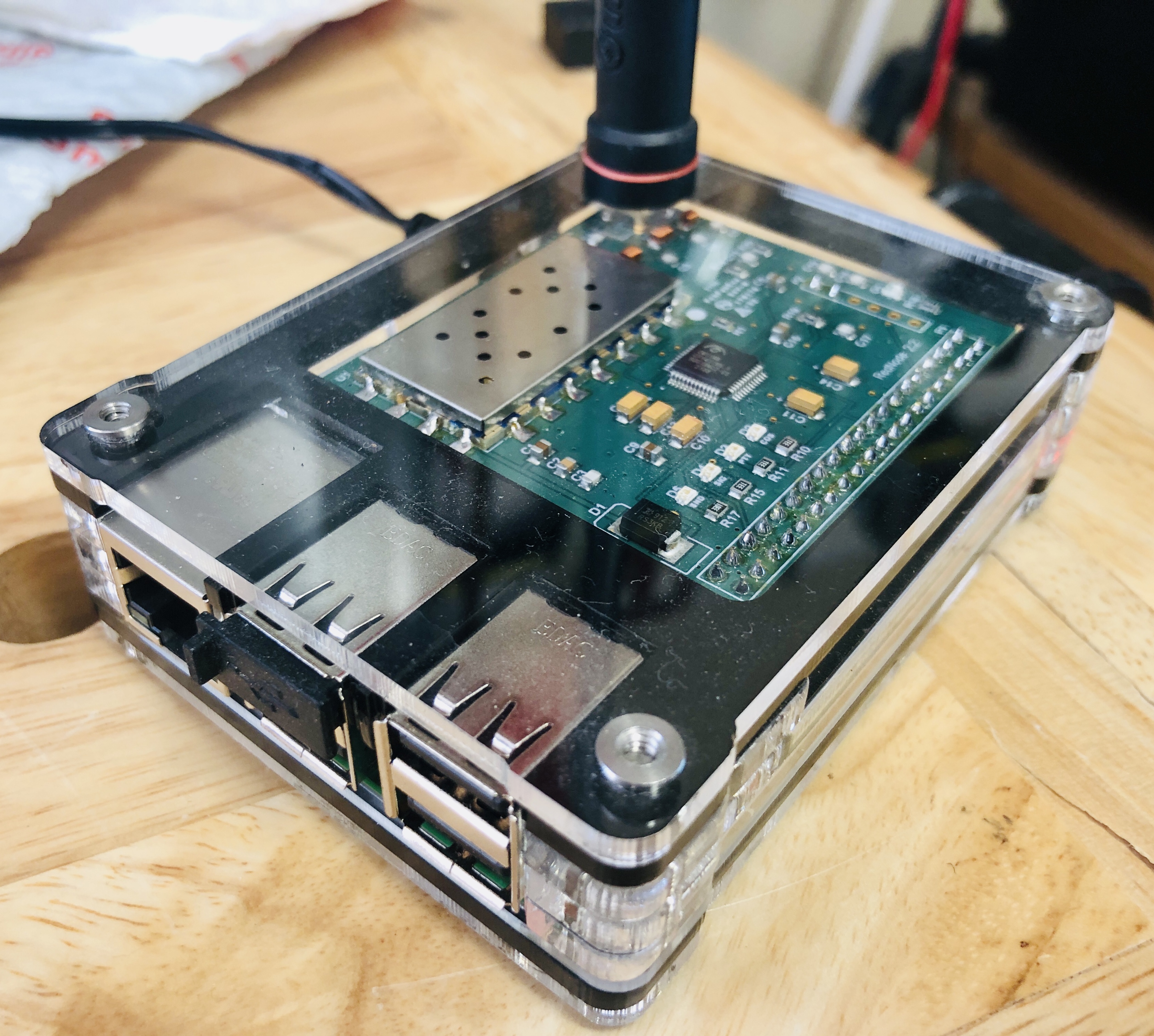
Today was a good day. I originally bought my ClearNode for accessing AllStar Net and EchoLink enabled repeaters. I was delighted to learn that my ClearNode also supports DMR (Digital Mobile Radio) at no additional cost and using my same old analog HT. What a bargain! I had been wanting to try out DMR since I learned of this capability when getting started with using my ClearNode.
I use an inexpensive analog dual-band 2m/440Mhz HT to connect to my ClearNode which then connects me to linked repeaters all over the world. ClearNode provides several new interesting ways to enjoy amateur radio and connecting with others.
There are a few steps required to setup DMR and the impression of these hurdles proved to be just enough to keep me from spending the time needed to learn how to configure my ClearNode for DMR. A quiet Winter Sunday at home gave me just what I needed - uninterrupted time to read the step-by-step instructions and configure my node.
 |
| NJ2X's ClearNode |
As with many new things in life, once you dive into actually doing it, you quickly find out that it was a whole lot easier than you had imagined in your uninformed mind. Being human means tending to make assumptions. It is a good idea to check assumptions to see if they are valid.
Here are the steps I followed to put my ClearNode on the air with DMR:
- Read the Digital Modes – Node-Ventures sections related to DMR.
- Register and setup an account with https://www.radioid.net/
- Register and setup an account with https://brandmeister.network
- Configure ClearNode using the ClearNode App for iOS
- Navigate to Digital Bridge Setup and turn on “Enable Digital Bridge"
- AMBE Mode and select "DMR"
- Location = text that describes your node's location
- Lattitude = your node location's latitude
- Longitude = your node location's longitude
- Height = your node's antenna height in meters
- Information URL = your amateur radio website's URL
- Talker Alias = <name> <callsign>
- DMR Network Host = 3103.repeater.net (note: this is for BrandMaster)
- DMR Hotspot Password = <password> (note: this is the same password you will enter on brandmeister under the SelfCare menu in the field called, "Hotspot Security")
- Your DMR ID = <your DMR ID assign by radioid.net>
- This hotspot extension # (2-digit) = <##> (note: if this is your first node then use 01)
- DMR Timeslot = use the default settings
- DMR Color Code = use the default settings
- USRP Gain = use the default settings
- TLV Gain = use the default settings
- Click "Save" on the upper righthand corner
- Your ClearNode will save these configuration changes and restart
- Log into your Brandmeister account https://brandmeister.network
- Navigate to the "SelfCare" menu
- Enter the same password you entered into your ClearNode in the "DMR Hotspot Password" field.
- Click "Save Password"
- Go to your ClearNode App on iOS
- Click "Add Connection"
- Select "Digital" on the lower righthand corner of the screen
- Select "TG93 North-America" from the list that appears under Connection History
- Time to make your first DMR call
- Using your radio and ClearNode, make a call
- Listen for someone to call you back and have fun!
Configuring a ClearNode for DMR is pretty darn easy. I regret not attempting to set up my ClearNode with DRM earlier. Now I can have fun playing radio with AllStar Link, EchoLink, and DMR.
A big THANK YOU to Amy, K0AMY in Reno, NV, for answering my very first DMR call and for the nice QSO. Amy gave me some helpful tips on finding fun nets to join on DMR. During our QSO, I was impressed with the quality of Amy's DMR digital audio signal. It sounded quite good, and I had zero difficulty understanding her every word. I am looking forward giving DMR nets a try and making more great contacts using this fun internet-enabled digital mode. Thank you for the tip Amy.
If you have a ClearNode, I hope this article has inspired you to spend the time to configure your ClearNode for DMR and join in the fun. It is easier than it may appear when you first look into it. You can do it! I am looking forward to talking to you on DMR someday soon.
How was your experience with setting up your ClearNode for DMR. Please leave a comment. I would love to hear from you.
Good DX and 73,
NJ2X