Showing posts with label ClearNode. Show all posts

March 17, 2023

ClearNode One Year Review

My ClearNode went on the air one year ago (March 2022).  Over the last twelve months, the ClearNode has been a real pleasure to use.

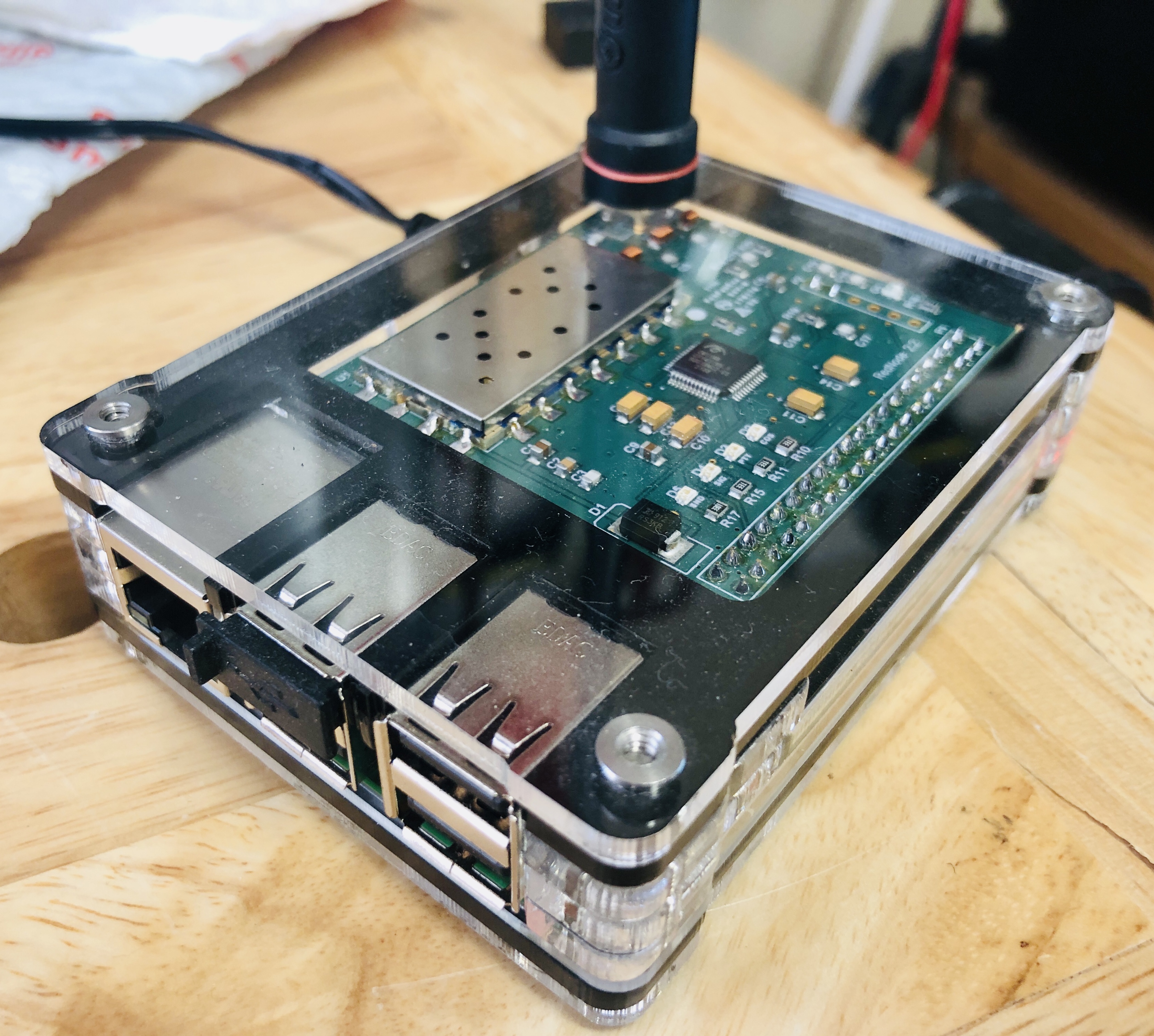
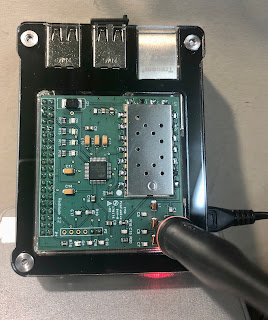
NJ2X's ClearNode

I have thoroughly enjoyed connecting to AllStarLink, EchoLink, DMR enabled repeaters and nodes all around the world to monitor and make contacts.  Exploring other internet-enabled repeaters has helped me discover some wonderful repeater systems and nets.

I have also enjoyed being able to connect to repeaters covering backcountry locations here in California and talking with ham friends while they were camping with their HTs.  This worked remarkably well and was fun amateur radio activity.

ClearNode

My ClearNode has become an excellent DXing tool.  I am a US County hunter and I have found that connecting to nodes in target Counties and dropping my call is a great way to meet hams in those Counties and arrange skeds.  This has been a game changer in my US County hunting.

Pros
  • The ClearNode works really well
  • Gerry's support is just wonderful (a big THANK YOU to Gerry)
  • Nice iPhone app makes it easy to connect to AllStar Link and EchoLink nodes
  • Great DXing tool
  • Looks great in the shack
  • More amateur radio fun!
  • Allstar Link, EchoLink, and DMR enabled repeaters are a blast to use
Cons
  • Can't think of any cons

There are a couple more digital voice modes that the ClearNode supports that I haven't dived into yet such as P25, YSFN (Fusion), FCS (Fusion), and NXDN.  I am glad the ClearNode supports all these extended capabilities since it provides additional learning opportunities to explore down the road.

I am so glad I took the leap in 2022 and bought a ClearNode.  I regret that I didn't do it sooner since it has helped me expand my amateur radio horizons and have even more fun.

Thank you to Gerry and Node-Ventures for making a great product and standing behind it with outstanding support.  Kudos!


Good DX and 73, NJ2X


Be sure to check out my other ClearNode related articles on NJ2X.com.


February 3, 2023

ClearNode Tip #4: Setting up ClearNode for DMR

Today was a good day.  I originally bought my ClearNode for accessing AllStar Net and EchoLink enabled repeaters.  I was delighted to learn that my ClearNode also supports DMR (Digital Mobile Radio) at no additional cost and using my same old analog HT.  What a bargain! I had been wanting to try out DMR since I learned of this capability when getting started with using my ClearNode.   

I use an inexpensive analog dual-band 2m/440Mhz HT to connect to my ClearNode which then connects me to linked repeaters all over the world.  ClearNode provides several new interesting ways to enjoy amateur radio and connecting with others.

There are a few steps required to setup DMR and the impression of these hurdles proved to be just enough to keep me from spending the time needed to learn how to configure my ClearNode for DMR.  A quiet Winter Sunday at home gave me just what I needed - uninterrupted time to read the step-by-step instructions and configure my node.

NJ2X's ClearNode

As with many new things in life, once you dive into actually doing it, you quickly find out that it was a whole lot easier than you had imagined in your uninformed mind.  Being human means tending to make assumptions.  It is a good idea to check assumptions to see if they are valid.

Here are the steps I followed to put my ClearNode on the air with DMR:
  1. Read the Digital Modes – Node-Ventures sections related to DMR.
  2. Register and setup an account with https://www.radioid.net/
  3. Register and setup an account with https://brandmeister.network
  4. Configure ClearNode using the ClearNode App for iOS
    • Bridge Information
      • Navigate to Digital Bridge Setup and turn on “Enable Digital Bridge"
      • AMBE Mode and select "DMR"
      • Location = text that describes your node's location
      • Lattitude = your node location's latitude
      • Longitude = your node location's longitude
      • Height = your node's antenna height in meters
      • Information URL = your amateur radio website's URL
      • Talker Alias = <name> <callsign>
    • DMR Setup
      • DMR Network Host = 3103.repeater.net (note: this is for BrandMaster)
      • DMR Hotspot Password = <password> (note: this is the same password you will enter on brandmeister under the SelfCare menu in the field called, "Hotspot Security")
      • Your DMR ID = <your DMR ID assign by radioid.net>
      • This hotspot extension # (2-digit) = <##> (note: if this is your first node then use 01)
      • DMR Timeslot = use the default settings
      • DMR Color Code = use the default settings
      • USRP Gain = use the default settings
      • TLV Gain = use the default settings
      • Click "Save" on the upper righthand corner
      • Your ClearNode will save these configuration changes and restart  
  5. Log into your Brandmeister account https://brandmeister.network
    • Navigate to the "SelfCare" menu
    • Enter the same password you entered into your ClearNode in the "DMR Hotspot Password" field.
    • Click "Save Password"
  6. Go to your ClearNode App on iOS
    • Click "Add Connection"
    • Select "Digital" on the lower righthand corner of the screen
    • Select "TG93 North-America" from the list that appears under Connection History
  7. Time to make your first DMR call
    • Using your radio and ClearNode, make a call
    • Listen for someone to call you back and have fun!
Configuring a ClearNode for DMR is pretty darn easy.  I regret not attempting to set up my ClearNode with DRM earlier.  Now I can have fun playing radio with AllStar Link, EchoLink, and DMR.

A big THANK YOU to Amy, K0AMY in Reno, NV, for answering my very first DMR call and for the nice QSO.  Amy gave me some helpful tips on finding fun nets to join on DMR.  During our QSO, I was impressed with the quality of Amy's DMR digital audio signal.  It sounded quite good, and I had zero difficulty understanding her every word.  I am looking forward giving DMR nets a try and making more great contacts using this fun internet-enabled digital mode.  Thank you for the tip Amy.

If you have a ClearNode, I hope this article has inspired you to spend the time to configure your ClearNode for DMR and join in the fun.  It is easier than it may appear when you first look into it.  You can do it!  I am looking forward to talking to you on DMR someday soon.

How was your experience with setting up your ClearNode for DMR.  Please leave a comment.  I would love to hear from you.

Good DX and 73, NJ2X


Be sure to check out my other ClearNode related articles on NJ2X.com.


March 25, 2022

ClearNode Tip #3: DTMF Commands

The ClearNode FM Hotspot for AllStarLink and EchoLink can be handily linked to other nodes via the ClearNode mobile phone app (iPhone or Android).  The mobile phone app is easy and convenient to use to look up nodes and connect.
Kenwood TH-F6A Triband Amateur Radio Transceiver

AllStarLink supports DTMF commands that allow you to control your node using only your radio.  It is good to know how to use these commands.  A few possible use cases:
  • Your mobile phone is charging, upgrading, or is otherwise unavailable.
  • You want to share your node with a friend, family member, or neighbor and don't want to share your mobile app credentials.
  • You are communicating via radio through another node and want to control it via DTMF tones.

AllStarLink Node DTMF Nodes
To use these commands, first press and hold your radio's PTT while entering the command through the radio's keypad and then releasing the PTT.

*1node - Link Disconnect
*2node - Link Connect (Monitor Only)
*3node - Link Connect

*70 - Link Status (Locally connected nodes)
*71 - Disconnect Permanently Connected Links
*73 - Permanently Connect Links
*75 - Full Status (Avoid using if you are connected to a AllStarLink hub)
*76 - Disconnect ALL Links
*77 - Reconnect Links (Disconnected by command above)
*81 - Say Time of Day (local)
*980 - Say App_rpt Version


Dual tone multi-frequency (DTMF) was developed by Bell System. DTMF was introduced for public use on Nov. 18, 1963. It is known by the trademark Touch-Tone.


Good DX and 73, NJ2X


March 23, 2022

ClearNode Tip #2: Antenna Upgrade

The ClearNode comes with a stubby antenna.  The stubby has the advantage of having a low-profile.  It has the disadvantages of being a compromise antenna - reduced efficiency, lower gain, and potentially some portion of the signal being reflected back into the transceiver.

You can improve your antenna gain and efficiency by swapping the stubby antenna for a larger 440m SMA vertical antenna.  I happened to have a SMA 2m/440m dual band rubber duck antenna in a drawer, so it was a easy no-cost upgrade for my ClearNode.

ClearNode with SMA 2m/440 dual-band rubber duck antenna
ClearNode on the bench with a SMA 2m/440Mhz dual band rubber duck

Upgrading my ClearNode antenna provided excellent coverage in my home, yard, and neighborhood with full quieting and crisp clean audio.  I was surprised to find that I can even reach my node with an HT transmitting with 1w from 1 mile away.

Good DX and 73, NJ2X


March 20, 2022

ClearNode Tip #1: NOAA warnings

Your ClearNode unit comes complete with software capable of receiving and announcing NOAA warnings for your local County area on your local node.  AutoSky is a Skywarn program designed to work with Allstar.  AutoSky automatically generates simple NOAA voice alerts such as, "tornado watch", "flood warning", and "severe thunderstorm warning" at the drop of transmissions.  It is capable of alert messages that would be encountered in a Skywarn system.

NOAA Logo

This feature is easy to setup on the ClearNode unit using the ClearNode mobile application available on both iPhone and Android.  Steps to enable AutoSky:
  1. Lauch the ClearNode app on your mobile phone.  Note both the mobile device and your ClearNode node must be communicating with the Internet.
  2. Select your node
  3. Scroll down to "Node setup" and select "AllStar Setup"
  4. Scroll down to "Weather Options"
  5. Confirm your correct zip code is listed next to "Zip for weather"
  6. Confirm your correct NWS County Code is listed next to "NWS County Code"
  7. Move the slider to the right (green) for the option, "Enable AutoSky at book"
  8. A "Node Setup" popup will appear that can be used to save and restart your node
  9. Go to the MOde Details menu and select TimedEvents
  10. Enable “AutoSky Check Advisories"
  11. Save to commit this change

To test the AutoSky configuration, monitor the ClearNode via radio and listen for a computer voice give an update regarding weather advisories.  A notice will be given based on the "Play AutoSky every (ms)" setting. The default is set to 30 minutes.

Good DX and 73, NJ2X


March 17, 2022

ClearNode Allstar Link and Echolink hotspot node is on the air

My ClearNode AllStarLink/EchoLink (FM hotspot) simplex node arrived today from Node-Ventures.  Fun!  

For those unfamiliar with AllStarLink, a node is a computer that connects to the AllStarLink network.  A node is often interfaced with an amateur radio and is connected to the internet. Radios can range in size from a repeater to a low power radio integrated into a node (as is the case with the ClearNode).  A node enables the owner to connect to other nodes in the AllStarLink network.

It was super easy to setup and get on the air.  My ClearNode unit came preconfigured so there wasn't much to do other than attach the 440Mhz band antenna and power it up.  I really like the durable case and overall simplicity of the design.


The ClearNode puts out about 500mW and comes with a stubby antenna.  I considered using the stock antenna though I was concerned that it may limit my ability to connect when operating from the backyard with my HT.  I decided to repurpose an unused dual-band rubber duck SMA antenna I had in a drawer to enjoy a bit more gain and extended range.

Testing NJ2X's Clearnode Allstar / Echolink node
 
The ClearNode worked great with both AllStarLink and EchoLink.  I was able to link with repeater nodes all over the world easily using the ClearNode iPhome app.  The software worked flawlessly and offers a ton of configuration options for those that love to experiment.  Node-Ventures have also done an excellent job those who want a simple plug-and-play node.  Kudos!

EchoLink icon

AllStarLink logo
I talked to several hams on various repeaters and then checked-in on the Puget Sound Repeater Group's Nine O’clock Net on WW7PSR in Seattle, Washington.

Coverage around the house was strong with full quieting while using my dual-band HT set to low-power (1W).  This coming weekend I plan to do further testing around the house and outdoor coverage with my HT.

Good DX and 73, NJ2X